
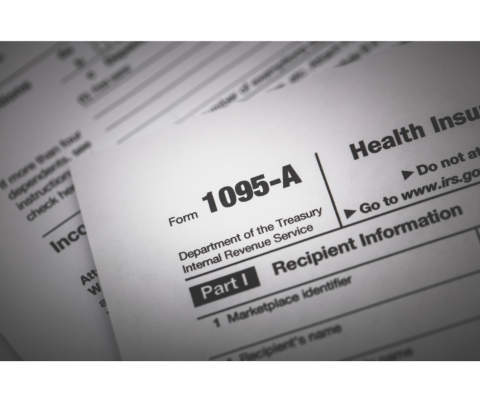
Guide to Form 1095-A: Understanding and Using Your Health Insurance Marketplace Statement
Another new year, which means another 1095-A form, specifically If you or anyone in your household had a Marketplace plan in 2024. The 1095-A form is your Health Insurance Marketplace® Statement, and it should have been received by mail no later than mid-February. It should have also be available in one’s Marketplace account between mid-January and February 1.
Why Form 1095-A is Important:
- Preparation: Ensure you have your Form 1095-A before filing your taxes. Keep your 1095-A forms with your important tax information, like W-2 forms and other records.
- Accuracy: Verify all details regarding your coverage and household. Contact the Marketplace Call Center if any information is incorrect.
- Information Included: Your Form 1095-A provides details about Marketplace plans held by household members in 2024. It originates from the Marketplace, not the IRS.
Accessing Your Form 1095-A Online:
- Login: Log into your Marketplace account.
- Select Application: Choose your 2024 application (not 2025).
- Download: Navigate to “Tax Forms” to download all 1095-As. For visual guidance, view screen-by-screen directions, with pictures (PDF, 499 KB).
What’s Included on Form 1095-A:
- Coverage Details: Premiums paid, premium tax credits used, and the “second lowest cost Silver plan” (SLCSP) information.
- Tax Form 8962: Use your 1095-A to complete Form 8962, Premium Tax Credit (PDF, 115 KB), to reconcile any differences in the premium tax credit used versus the amount you qualify for.
Verifying Your Form 1095-A:
- Accuracy Check: Review the instructions on the back of your form.
- Contact if Needed: Contact the Marketplace Call Center for corrections regarding coverage or household details, including the SLCSP information.
The “monthly enrollment premium” on Form 1095-A (Part III, Column A) may be different from the monthly premium you paid. This doesn’t always mean this amount is wrong because:
- Your plan included benefits in addition to the essential health benefits required by the health care law, like adult dental or vision benefits. In this case, the monthly enrollment premium on your Form 1095-A may show only the amount of your premium that applied to essential health benefits.
- You or a household member started or ended coverage mid-month. In this case, your Form 1095-A will show only the premium for the parts of the month you had coverage.
- You were enrolled in a stand-alone dental plan and a dependent under 18 was enrolled in it. In this case, the monthly enrollment premium on your Form 1095-A may be higher than you expect because it includes a portion of the dental plan premiums for pediatric benefits.
How to know if your second lowest cost Silver plan information is correct
Look at Part III, column B of your 1095-A, titled “Monthly second lowest cost silver plan (SLCSP) premium.” It should show figures for each month any household member had the Marketplace plan. If the SLCSP premium is incorrect if:- Part III, Column B has a “0” or is blank for any month someone in your household had the Marketplace plan
- You had changes in your household that you didn’t tell the Marketplace about — like having a baby, moving, getting married or divorced, or losing a dependent.
Use the information from your 1095-A to reconcile
Once you have an accurate 1095-A and second lowest cost Silver plan premium, you’re ready to fill out Form 8962, Premium Tax Credit. Get a step-by-step guide to reconciling your premium tax credit.
Multiple Forms 1095-A:
- Reasons: You may receive multiple forms if you changed plans, updated your application, had different household members on different plans, or had more than 5 members on the same plan.

Frequently Asked Questions:
- Full-Priced Plans: Even if you paid full price for a Marketplace plan, you will receive a 1095-A.
- Partial Year Coverage: Your 1095-A includes information only for months you had Marketplace coverage.
- Corrected Forms: If you receive a corrected 1095-A after filing your taxes, consider filing an amended return if necessary.
Retrieving Previous Year’s 1095-A:
- Access: Select the relevant year’s application in your Marketplace account under “Tax Forms.”